Key Information for Evaluating the Trustworthiness of a Website Accessed Through Search Ads, Recommended Links, or Shared URLs
Accessing websites through search engine ads (Search Ads), recommended social media posts, or links shared via messaging apps is a daily habit for internet users. However, these are also the most common vectors exploited by bad actors to distribute phishing links, spoof established brands, or install malware. To protect personal information and financial assets, users must master both technical standards and analytical reasoning to accurately assess a website’s trustworthiness before interacting with it.
The Underlying Risks of Accessing Websites via Search Ads and Shared Links
When you manually type a web address into your browser, you maintain full control over your destination. Conversely, clicking on links from advertisements or messages routes you through a third party:
- Search Engine Ads (Search Ads): Search engines allow advertisers to set a “Display URL” that differs from the actual “Final Destination URL.” Fraudsters can purchase ads for major brand keywords while quietly redirecting users to a counterfeit site with a visual design identical to the real one.
- Shared and Recommended Links: Cybercriminals frequently compromise social media accounts or deploy automated bots to share malicious links accompanied by enticing offers. Just because a link comes from a friend’s account does not guarantee the destination website is safe.
Gold Standards for Evaluating Website Trustworthiness
1. Domain Name Structure and Spoofing Techniques (Typosquatting & Redirects)
The domain name is the single most critical signpost of legitimacy. Fraudsters often employ Typosquatting intentionally registering domain names that mimic reputable brands to trick visually unsuspecting users.
- Subtle Character Swaps: Adding or omitting a single letter (e.g.,
goolge.cominstead ofgoogle.com), substituting the letterlwith the number1, or swapping the letterowith the number0. - Unusual Top-Level Domains (TLDs): Established brands typically use recognizable TLDs like
.com,.org,.edu, or official country codes. Exercise caution if an international brand appears under cheap TLDs like.xyz,.top,.vip, or.site. - Misleading Subdomains: Fraudsters might craft a domain like
paypal.com.payment-verify.info. In this structure, the actual root domain ispayment-verify.info, notpaypal.com.
2. The Limits of HTTPS and Technical Indicators
Many users mistakenly assume that a padlock icon or an https:// prefix in the address bar serves as a 100% guarantee of a secure website.
In reality, https:// only confirms that the connection between your browser and the web server is encrypted, preventing third parties from eavesdropping on data in transit. Today, malicious actors can easily issue free SSL certificates for phishing websites in just a few minutes.
An HTTPS protocol is a necessary condition, but not a sufficient one. A fraudulent website can easily display a valid padlock icon. Therefore, you must also inspect the full URL path after the domain name. If the path contains random alphanumeric strings, excessive length, or repetitive keywords like /login/verify/secure/account/, it should be flagged as highly suspicious.
3. Corporate Transparency and Public Legal Records
A reputable organization or business always publicly displays its corporate credentials on its website. Scroll down to the footer or visit the “About Us” and “Contact Us” pages to verify:
- Physical Address and Phone Number: Legitimate companies provide clear physical office addresses and landline or official customer service hotlines, rather than relying solely on an anonymous web contact form.
- Terms of Service and Privacy Policy: These pages should be thoroughly detailed and professionally written. Fraudulent sites assembled in a hurry often leave these sections blank, rely on generic placeholder text (Lorem Ipsum), or display obvious grammatical errors.
- Copyright Notice: Check the copyright year in the footer. A commercial website claiming to be currently operating but showing a copyright date from years prior or missing legal notices entirely warrants immediate skepticism.
4. Content Quality and Lateral Reading
Never evaluate a website based solely on what the site claims about itself (Vertical Reading). Verification experts strongly recommend adopting Lateral Reading:
When landing on an unfamiliar website from an ad or shared link, open a new browser tab and search for information about that website from independent external sources.
Type the brand name or domain into a search engine along with terms like "review", "scam", "legit", or "complaints". If the site is a newly created phishing page, cybersecurity forums or user communities may have already posted warnings. Additionally, inspect internal content consistency: poor grammar, blurry imagery, distorted logos, or unrealistic product offers are all red flags.
5. Psychological Manipulation and Dark Patterns
Phishing websites frequently create false urgency to trigger fear or excitement, pushing users into rushed decisions without completing safety checks:
- Countdown timers claiming a deal expires in minutes.
- Alarming warnings claiming your account is locked or involved in illegal activity, requiring immediate verification.
- Persistent pop-ups announcing that someone recently won a prize or made a purchase.
- Interface traps (Dark Patterns) that conceal ad close buttons or fake “Download” buttons.
A legitimate business respects user experience and will not enforce unreasonable time pressure to compel a transaction.
4-Step Quick Audit Workflow Before Entering Personal Data
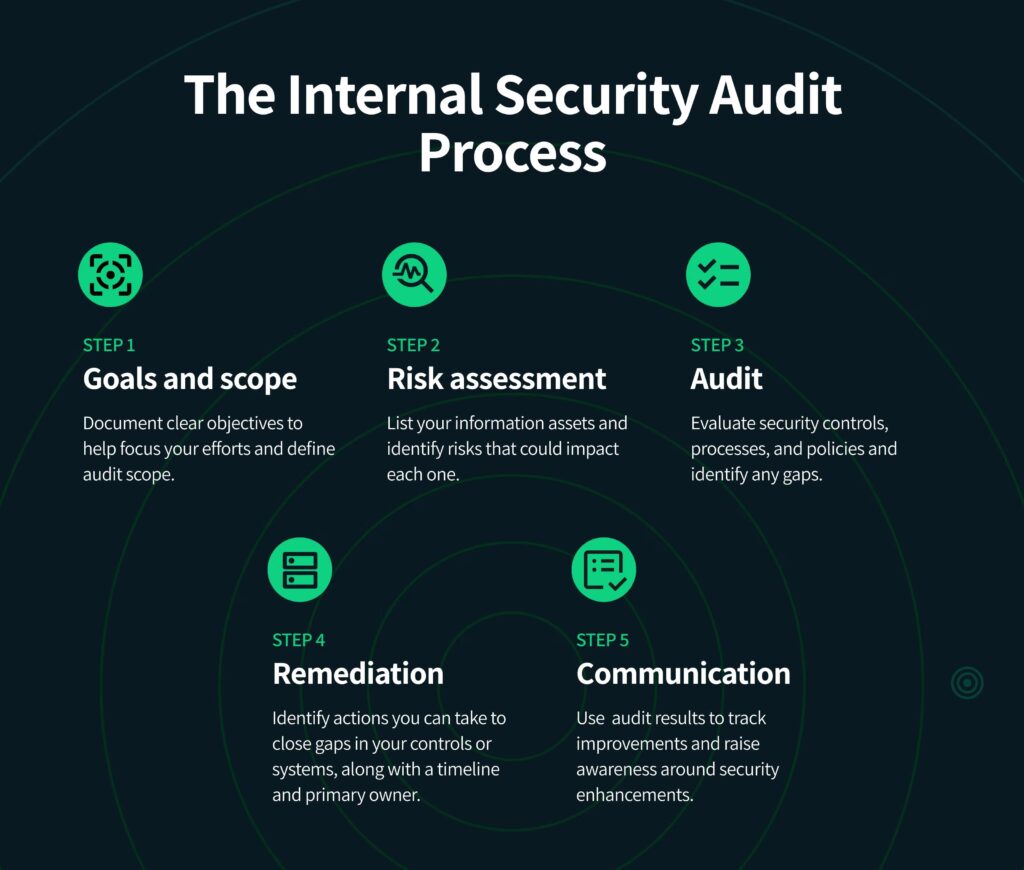
To ensure complete safety, follow this 4-step checklist every time you open an unfamiliar link:
- Preview the original destination URL (Hover / Press & Hold): Before clicking any link in an ad or message, hover your cursor over the link (on desktop) or press and hold it (on mobile) to inspect the actual destination address appearing at the bottom of the screen.
- Cross-reference the domain with official channels: Inspect every character in the domain. If in doubt, open a new tab, type the official brand name into a search engine, and navigate via organic search results.
- Perform a Domain Registration Lookup (WHOIS): Use public WHOIS tools to check domain age. If a website claims to represent a major financial institution but its domain was registered just days or weeks ago, it is almost certainly a scam.
- Apply Lateral Reading before paying: Search for independent reviews of the service. If the page requests passwords, OTPs, or credit card details, pause for 30 seconds to double-check its legitimacy from external sources.
Frequently Asked Questions (FAQ)
Is a website with a padlock icon (HTTPS) guaranteed to be 100% safe?
No. HTTPS only ensures that data in transit is encrypted; it does not prove who owns the website. Fraudsters can easily install free HTTPS certificates on fake websites.
How can I spot fake Google Ads impersonating major brands?
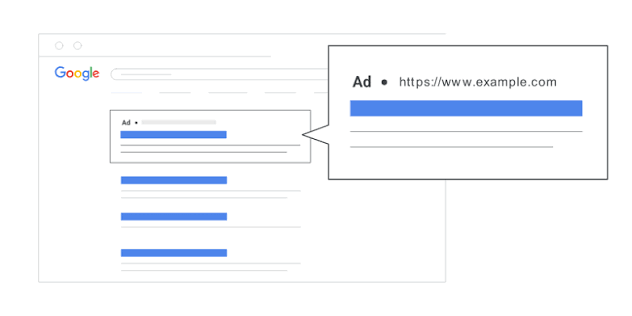
Examine the “Sponsored” label carefully and inspect the display URL directly under the ad headline. Fraudsters frequently use domain variants with subtle typos or extra characters to bypass ad review filters.
What is “Lateral Reading” and how do I perform it?
Lateral Reading is the technique of opening new browser tabs to research a website’s credibility through external independent sources (news outlets, review platforms, cybersecurity forums) rather than relying solely on the information displayed on the site itself.
What should I do immediately if I clicked a suspicious link or entered information?
If you entered a password, change that password and any other accounts sharing the same password immediately. If you entered credit card details, freeze the card instantly through your banking app and contact your bank’s emergency hotline to report the fraud.