Radio Program Pages and Replay Services After a Broadcasting Station Reorganization
A radio program website can disappear even when the program itself is still active. Broadcasting stations regularly reorganize channels, replace content management systems, merge regional websites, rename programs, or transfer audio archives to podcast platforms. As a result, an old bookmark may return a 404 error, redirect to the station homepage, or display an outdated schedule.
The important distinction is between a website relocation and a program ending. Searching only for the old URL can make these situations difficult to separate. A more reliable process combines the station’s reorganization notices, current program schedule, host and producer profiles, archived pages, and podcast feed information.
Program Identity and Broadcasting History
Before searching for a replacement page, record enough information to distinguish the program from other shows with similar names. The most useful identifiers are the program title, broadcasting station, channel or frequency, host, approximate broadcast time, and the last date you remember hearing the program.
Start with the broadcaster’s current website and search the exact program name. Google’s site: operator can also narrow results to a specific station domain:
site:station-domain.com "Program Name"
site:station-domain.com "Host Name" radio
site:station-domain.com "Program Name" podcast
The site: operator is useful for discovering pages that are difficult to locate through a station’s navigation, but its results are not exhaustive. A missing result therefore does not prove that the page no longer exists.
Dates deserve particular attention. Search engines can continue displaying pages from an older website structure after a migration. A result carrying the old station name, former host, or outdated schedule should be treated as historical information until the destination is verified.
Reorganization Notices and Program Movement Information
Station announcements are particularly valuable when a page disappears around the same time as a channel merger or website redesign. Search the broadcaster’s news, notices, programming announcements, and channel-reorganization pages for the program name.
These announcements may reveal a new program title, production department, host, channel, or broadcasting time. For example, a program may technically disappear under its former name while continuing as part of a newly branded afternoon schedule.
The final broadcast notice is equally important. If the station announced a last episode or replacement program, searching indefinitely for a migrated website is unlikely to help. In contrast, a notice stating that the program is moving to another channel, production unit, or schedule provides identifiers that can be used to locate its new page.
This distinction should be established before relying on radio directories or third-party archives.
Host and Production Team Profiles

When the station’s search function produces unclear results, the people associated with the program often provide a second route.
Search the broadcaster’s current host biography, presenter directory, producer page, or production-team information. Then review verified accounts belonging to the host, producer, program, or production company. Recent profile links and posts may point directly to a replacement program page, podcast feed, new channel, or updated listening schedule.
The publication date matters here as well. A host profile updated after the station reorganization is stronger evidence than a social post containing an old program URL from several years earlier.
Fan-created replay lists and community pages can still provide clues, especially when they preserve the program’s exact spelling or former episode titles. They should not, however, be treated as confirmation of the current address. Use the information to continue the search and verify the destination through the broadcaster, producer, or authorized distributor.
Legacy URLs, Redirects, and Web Archives
The old program URL remains useful even when it no longer displays the program.
Open it and inspect the destination. A redirect to a clearly corresponding program page can indicate a successful migration. A generic redirect to the station homepage is much weaker evidence because broadcasters sometimes configure deleted pages to send every visitor to the homepage.
If the old page has disappeared completely, archived copies can reconstruct its identity. Search the legacy URL in the Wayback Machine and review captures from shortly before the station reorganization.
Useful details include the host name, schedule, production credits, channel name, RSS address, podcast provider, and links to other station pages. A program identifier embedded in an old URL can also provide a search clue, although identifiers frequently change when a station adopts a new CMS.
Archived pages should be treated as historical evidence rather than proof of current availability. Their main value is providing identifiers that can be checked against the station’s present website.
Re-Listening Archives and Podcast Feed Succession
A missing webpage does not necessarily mean that the audio archive disappeared with it. Many programs continue through podcast or audio applications after their standalone station pages are removed.
Search the exact program title together with the host and broadcaster. Compare the publisher name, artwork, episode titles, runtime, and recent publication dates. These details reduce the risk of confusing an unrelated podcast with the original radio program.
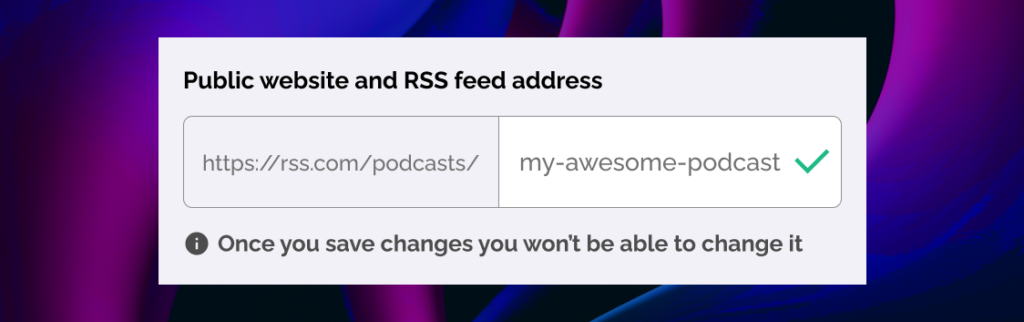
RSS information can be particularly useful during a platform migration. If the old feed still resolves, inspect its show title and publisher information to determine whether it points to a new provider. A podcast publisher can also use a 301 redirect when moving an RSS feed between hosting providers, allowing existing subscriptions to continue receiving episodes.
However, not every migration reuses the same feed. A renamed program may receive an entirely new RSS address. Compare the last episodes of the old feed with the first episodes of the suspected replacement. Matching hosts, production credits, descriptions, or sequential publication dates can establish continuity more reliably than the program title alone.
Podcast applications can also accept valid RSS feed URLs directly. This makes the feed itself useful for long-term following even when a conventional program webpage is unavailable.
Current Schedule and Episode Archive Verification
Finding a page with the right title is not the final step. Confirm that it represents the current program rather than an abandoned page left online after the reorganization.
Look for a recent schedule, current host information, newly published episodes, or an announcement referring to the present broadcasting season. If only old episodes remain, check the station-level schedule to determine whether the show still airs without a dedicated archive.
A current live player can provide additional confirmation. Listen for the station identification and compare the broadcast time with the latest schedule. Third-party radio directories can help locate streams, but directory listings may be user-submitted or outdated, so the station’s own schedule and player should take priority.
The final result may therefore be a program page, a station schedule entry, a podcast feed, or a network-level archive rather than a replacement that looks exactly like the old website.
Identification Information for Broadcaster Inquiries
When public searches do not resolve the move, contacting the broadcaster is often more efficient than repeatedly searching variations of the title.
Include the station name, exact or approximate program title, host name, frequency or channel, and the last date you heard the broadcast. These details are especially important when multiple stations have programs with similar names.
The inquiry should ask two separate questions: where the program is currently available and where past episodes are stored. A station may confirm that the current broadcast moved to a new channel while older recordings remain with another department or podcast provider.
If the broadcaster confirms that the program ended, also ask whether the previous episode archive remains accessible. This prevents a discontinued program from being mistaken for a website migration.
Long-Term Program Records
Once the replacement is identified, save more than one address. Keep the current program page together with the station name, host, RSS feed or podcast listing, and live-player page.
This small record makes future migrations easier to trace. A raw audio stream alone is a weak bookmark because stream hosts and paths can change without explanation. A broadcaster or program page normally provides more context when another migration occurs.
The most reliable search therefore follows the program rather than the URL. Reorganization notices establish whether the show moved or ended, host and producer profiles reveal new destinations, archived pages preserve old identifiers, and RSS feeds help trace audio distribution between providers. When those sources remain inconclusive, a broadcaster inquiry containing precise identification information can clarify both the current program location and the status of its past episodes.